
How do I publish my website?
Publishing lives inside the page you are editing, not on the Websites screen and not on the Manage board. Open the page you want, make your change, press Save, then press Publish. If your site is already live and you have changed nothing, there is nothing to publish, which is why you cannot find the button.
Updated 8 September 2026
Take me there
Open Websites and press Manage
This screen lists your sites and says whether each one is live. It has no Publish button on it, and that is normal.
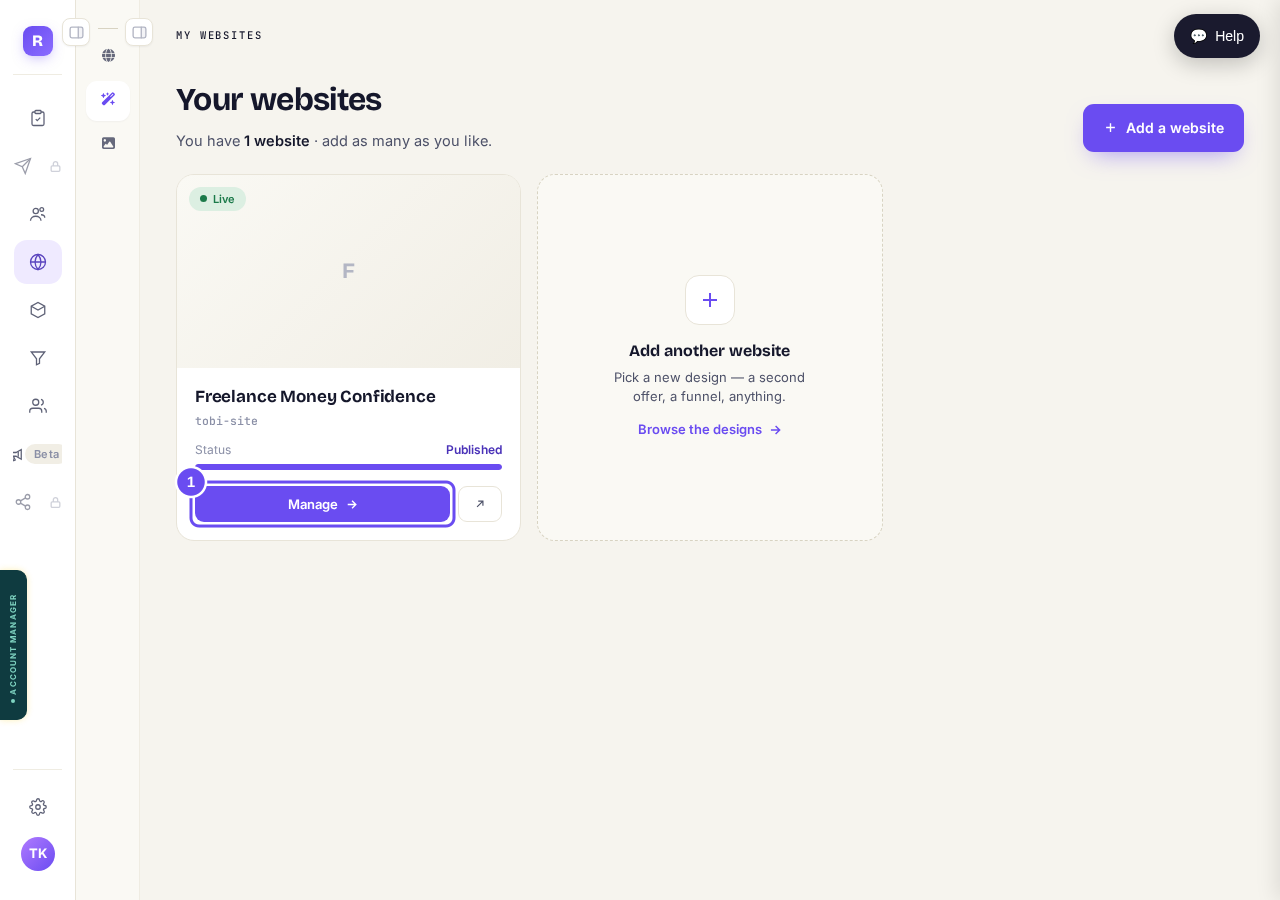
Press "Manage" on the site you want to change.
Take me thereRead the green bar at the top
It tells you the address your site is on and whether it is already live. Underneath, "Make a change" says edits go live when you republish. That sentence is true, and the button it refers to is not on this screen. It is inside a page, which is step 3.
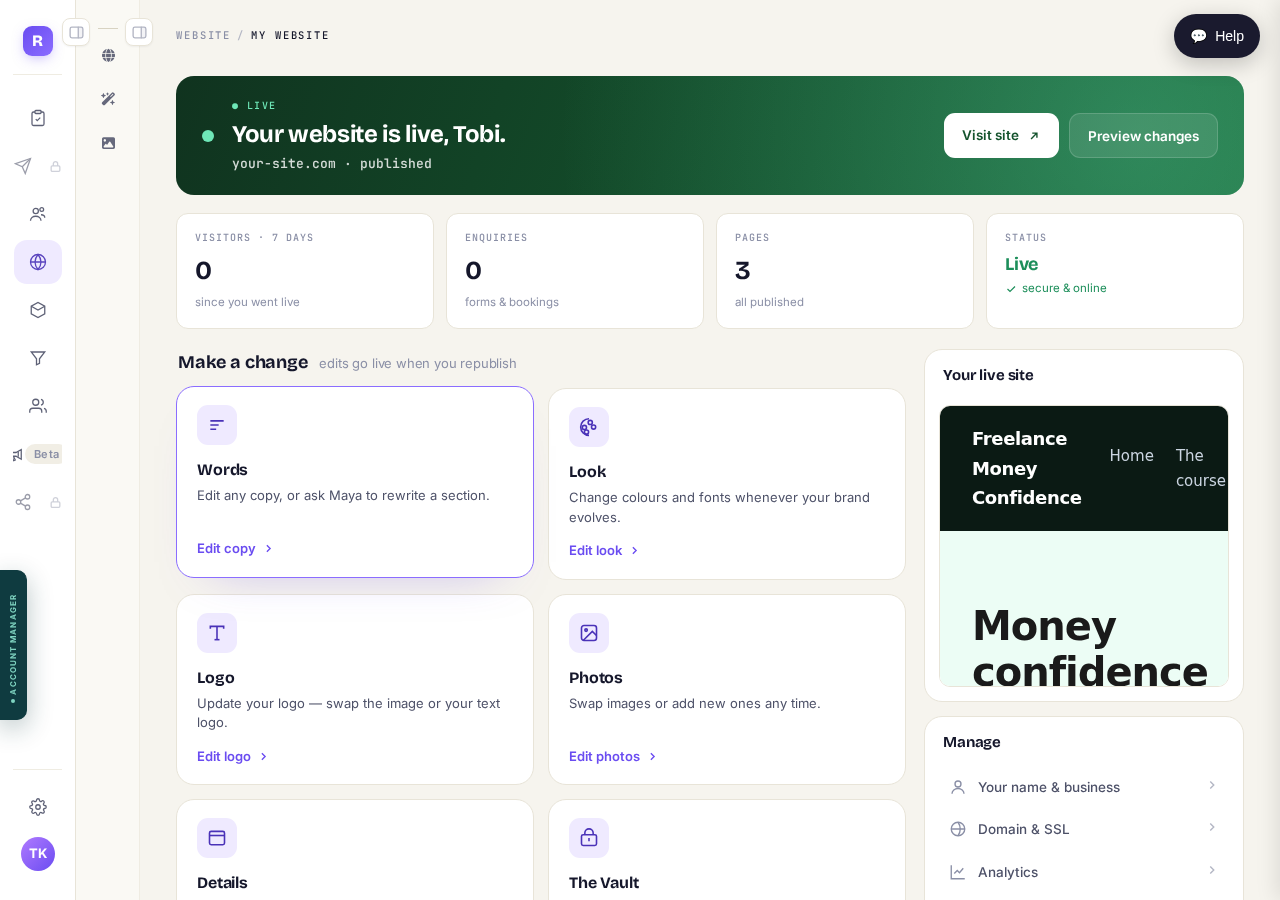
There is no Publish button here. Nothing is wrong.
Find the page you want to change and press Edit
Your pages are listed lower down: Home, and whatever else you have. Press Edit on the row for the one you want. It opens in a new tab (a second page along the top of your browser), so the screen you were on is still there behind it. When you have finished, close it and you are back. If pressing Edit looks like it did nothing, check along the top of your browser: the page has most likely opened there.
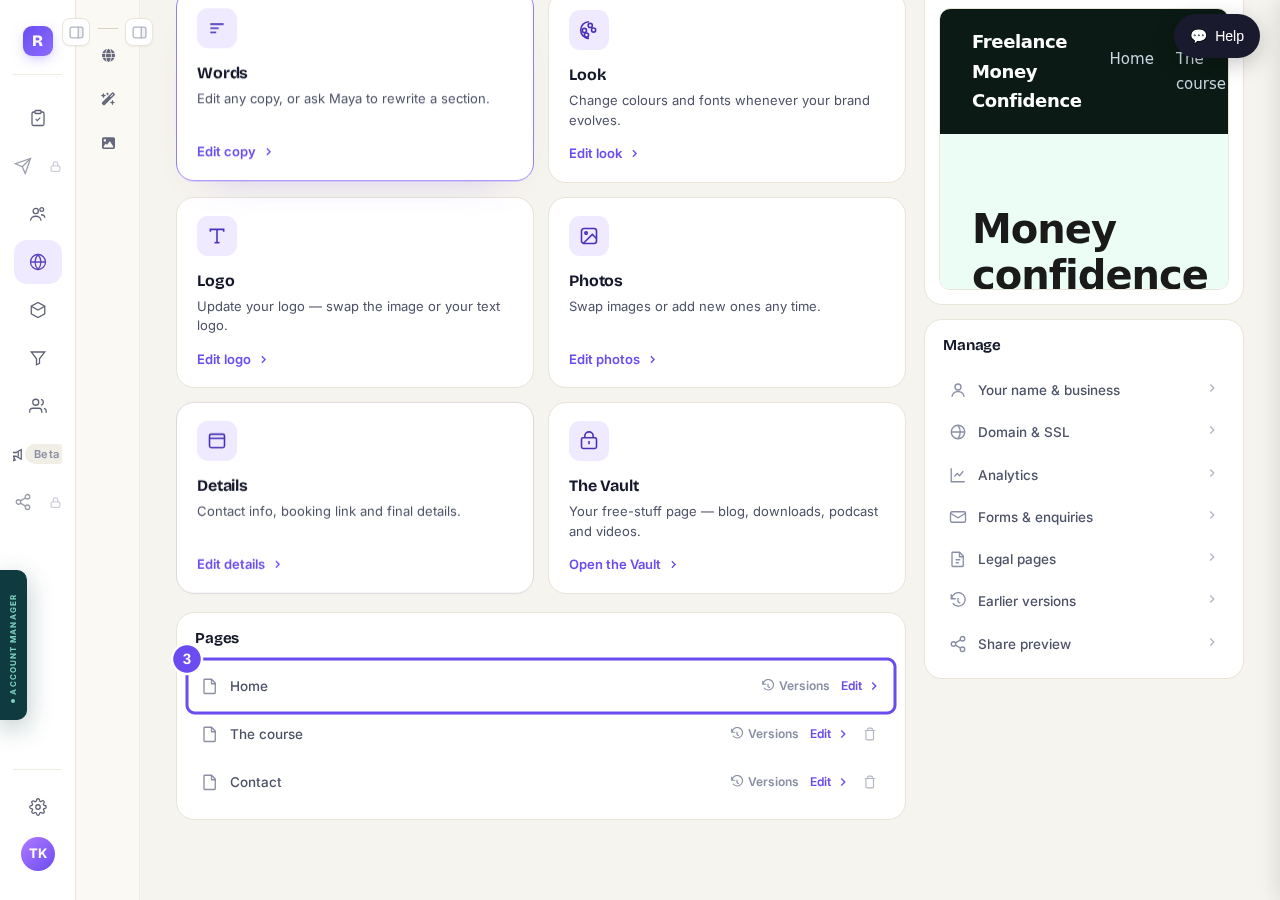
Press "Edit" on the row for the page you want, then look along the top of your browser for the page that opens.
Change what you want, then press Save
Save stores your work as a draft. Nobody visiting your site sees it yet. This is the answer to "will it be the final version?": Save is not final. Saving also starts your version history, so once you have saved a few times you can go back to an earlier one from the Versions button.
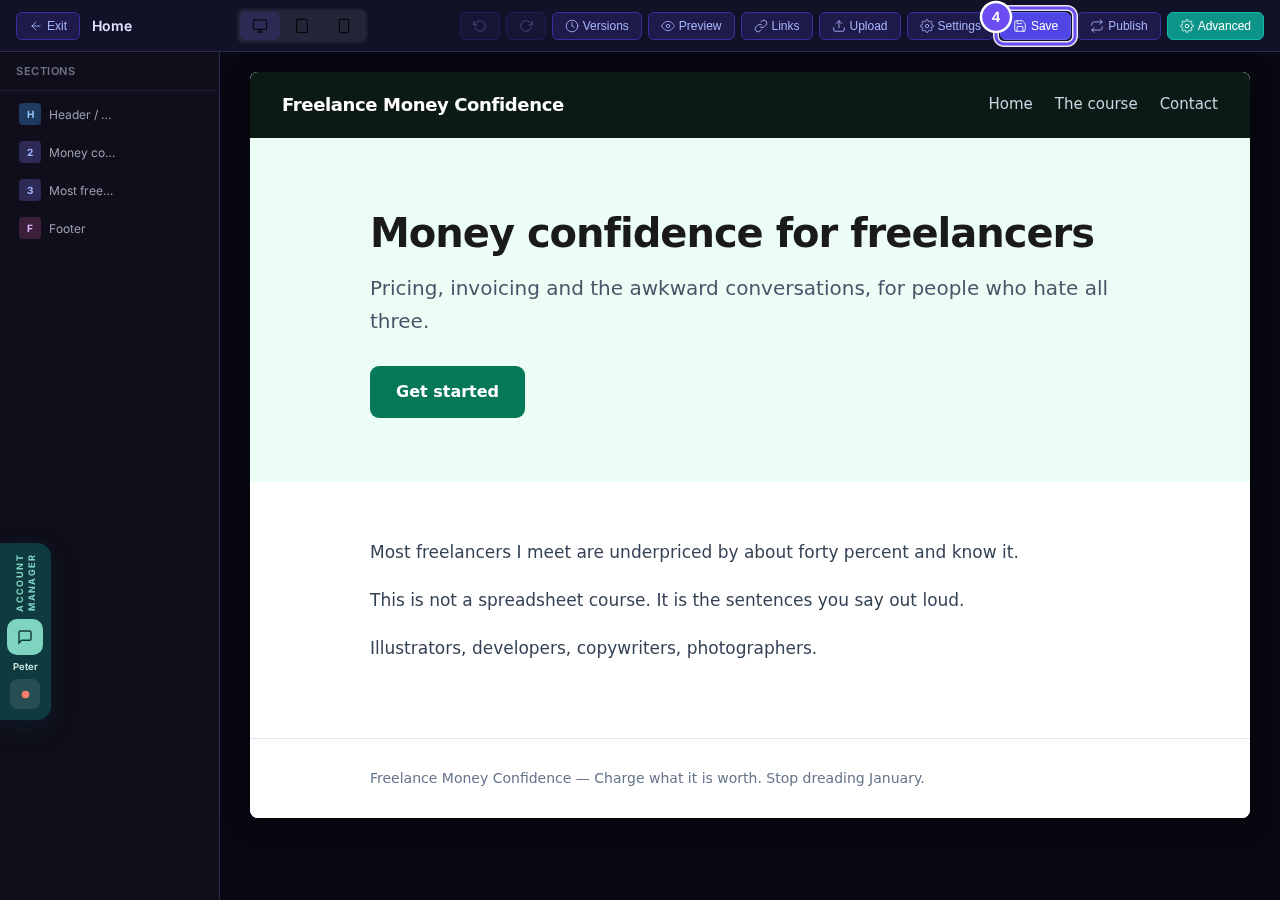
Save keeps it as a draft. Your live site has not changed.
Press Publish
Publish is at the top of the same screen, beside Save. This is the moment your change reaches the internet. Before you press it you can use Preview to read the page the way a visitor will.
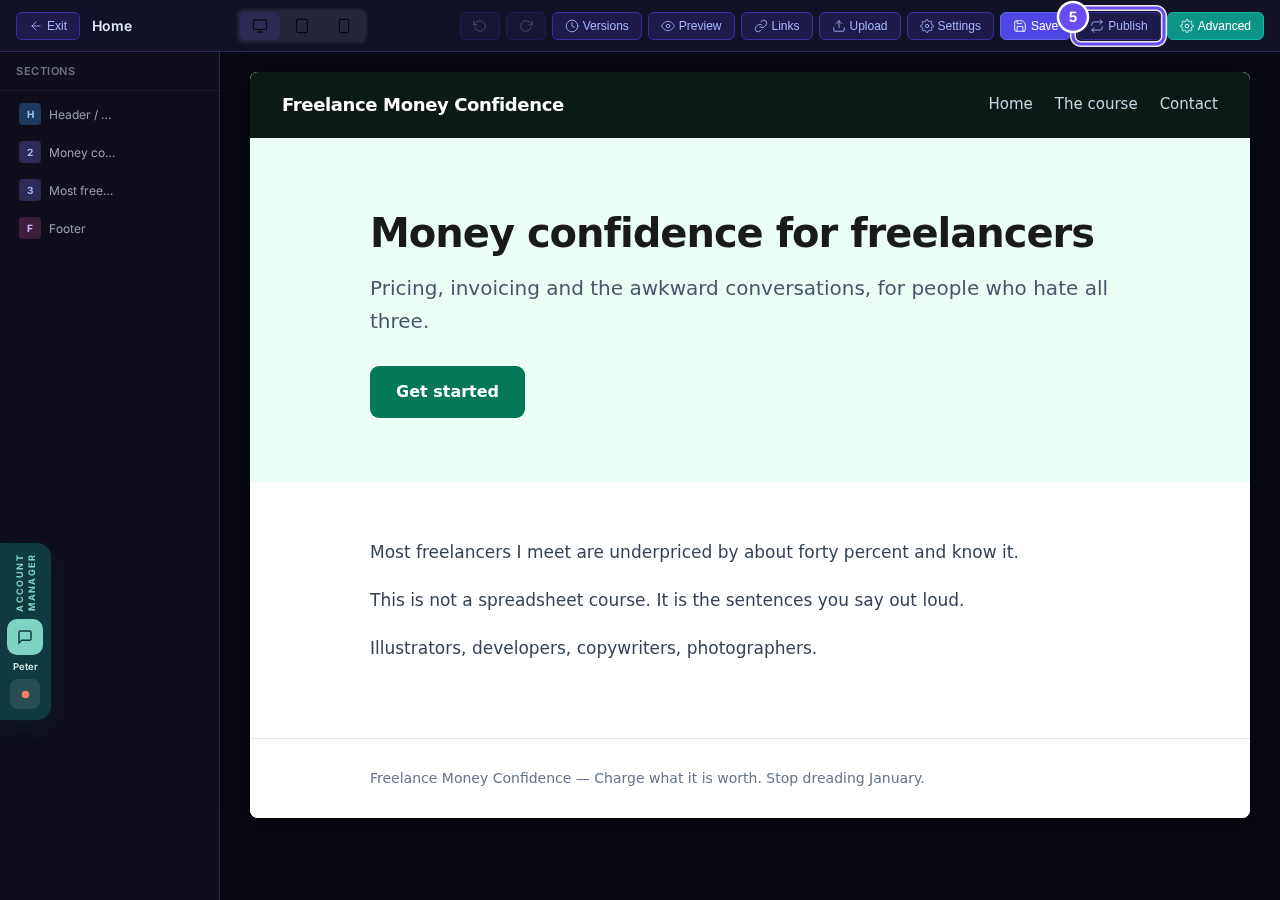
Press "Publish". This is the button coaches ask us about.
Related articles
How do I publish my website?
Your site is a draft until you press Publish. Publishing puts it at its own web address, and you can publish again as often as you like.