
How do I build and change a course with Claude?
Claude plans your course with you, builds it once you have approved the plan, and writes the lessons in your words. Anything it wants to change after that waits for your yes.
Updated 30 September 2026
Ask Claude to plan your course
Say: "Help me plan a course from what I teach. Ask me one question at a time."
Claude asks who it is for and what they will be able to do at the end, then shows you the modules and lessons, one line each.
Approve each module in your account
Claude puts the plan in your course and gives you the link. Open each module, change anything you like, and press Approve this module.
Claude builds nothing until every module is approved.
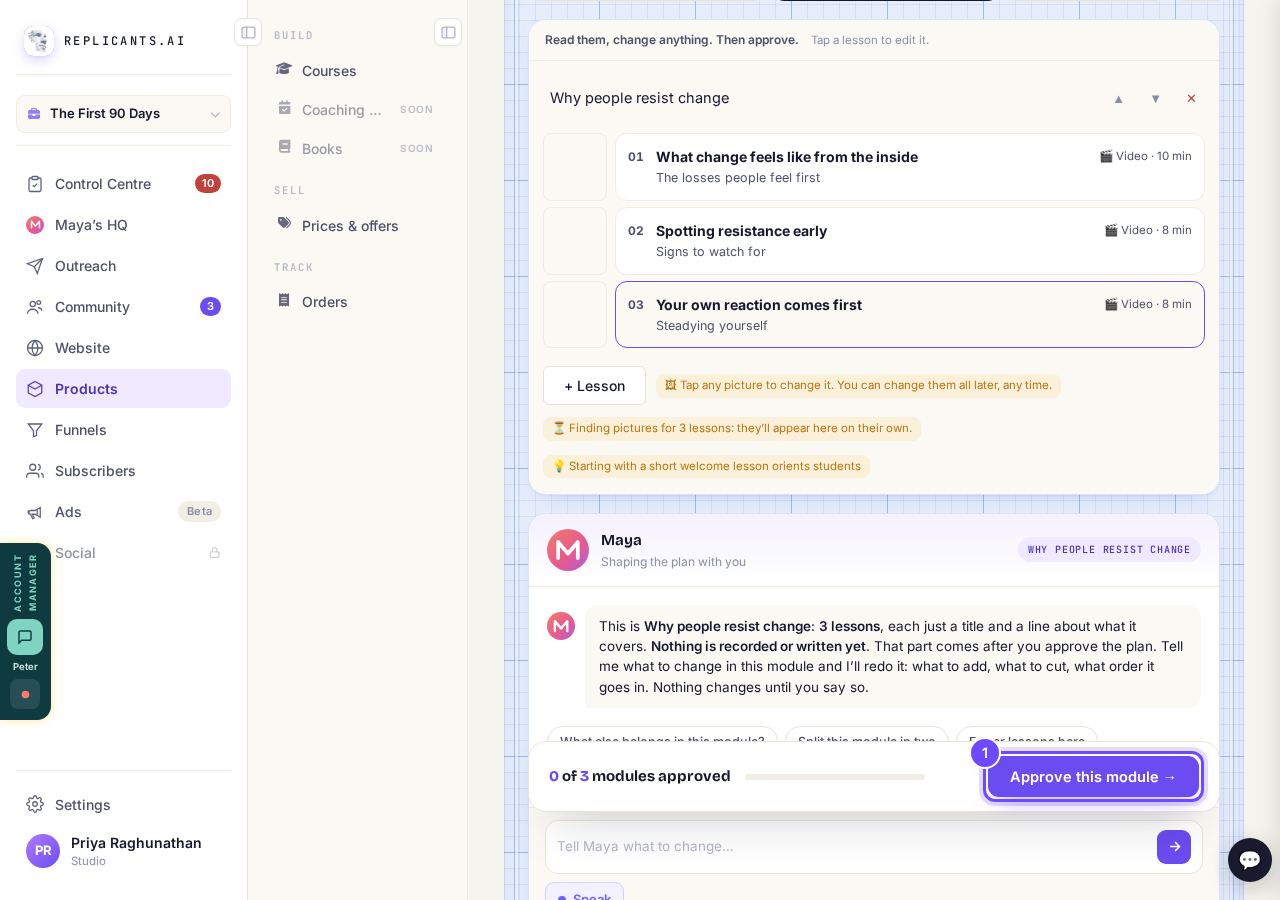
Approve this module, one module at a time.
Write the lessons with Claude
Once the plan is approved, Claude builds the course and writes each empty lesson with you, one at a time. Say which lesson to do next, or ask what is still empty.
Approve the changes Claude suggests
Ask Claude to change anything already written, the plan or a lesson, and it suggests the change instead of making it.
The suggestion waits at the top of your course, with the old words and the new ones. Press Approve the change, or Keep the old one.
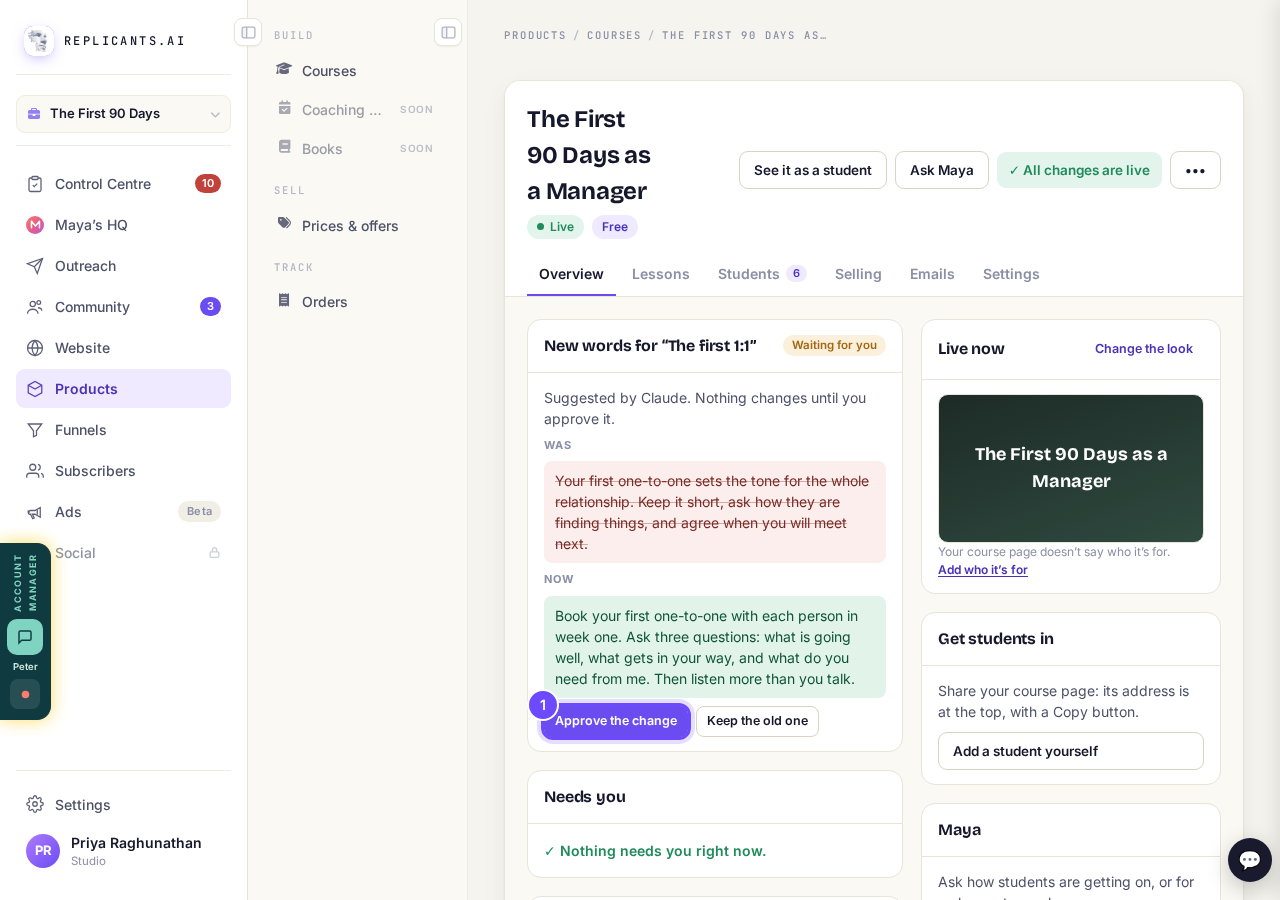
The old words and the new ones, side by side.
Approve changes from the Control Centre
Open Control Centre. Every change Claude or Maya suggests for your courses, games and sequence emails waits under Suggested by AI.
Approve each one there, without opening the course. The list updates by itself.
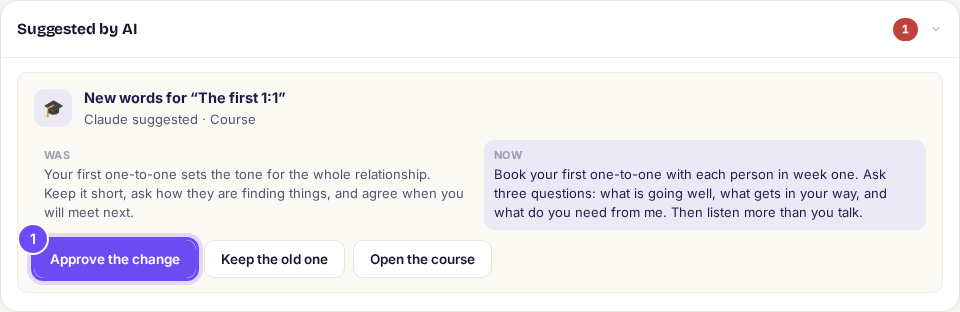
Suggested by AI lists every change waiting for you.


How do I add, move or rename modules and lessons in my course?